



To visualize the mask that you will use during the MEMS labworks, you have to:
-
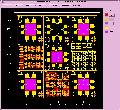 download and install CATENA software
- You can download it here (ZIP - 10Mo)
- or from the website: http://www.catena-ffo.de/
- download the MEMS Layout: mems2003.dbx
- run the software with the MEMS layout, by following the procedure:
- in the "File" menu, select "open work library"
- select the file named :"mems2003.dbx"
- in the "Group" menu, select "edit group"
- select the group "WAFER4P_15100
 zoom in
ruler
change the color/filling of the different layer
(c) 2009 - LM